Using Invite Codes
Why Invite Codes?
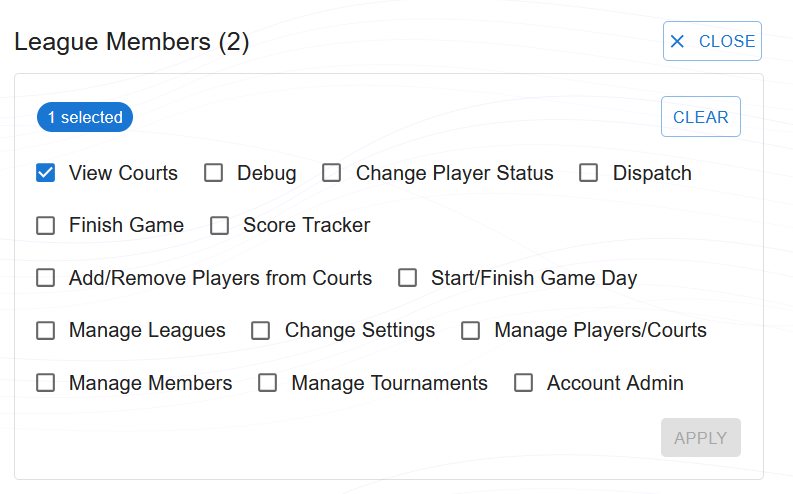
When a player joins your league through an invite code, they sign in with their own Google account and are added with read-only privileges by default. This is the best way to add other users to your league and eventually grant them admin access or other granular privileges. Admins can adjust each member's role and permissions at any time through the Members page — allowing you to set up backup admins, grant dispatching rights, or assign any combination of specific actions like finishing games or managing courts.
What is an Invite Code?
An Invite Code is a short 6-digit alphanumeric string (e.g., A7X9B2) that grants a user membership into your specific league namespace.
Generating a Code
Admins can go to Setup > Invite and Kiosk Codes. Generate a new code. Share this code in your group chat (WhatsApp, Telegram, etc.).
Joining as a User
A new user visits the app, logs in with Google/Email, and clicks 'Join League'. They enter the code and are instantly added to your dashboard.
Security & Expiration
Codes can be revoked at any time by the admin. Each code has a built-in expiry date and will automatically become invalid if not manually deleted beforehand.